Why would you want to exclude an API event from syncing with box office? You’ve made manual updates to event fields that sync with box office and you don’t want them to be overwritten.
There are two different ways to exclude an API event from syncing with box office.
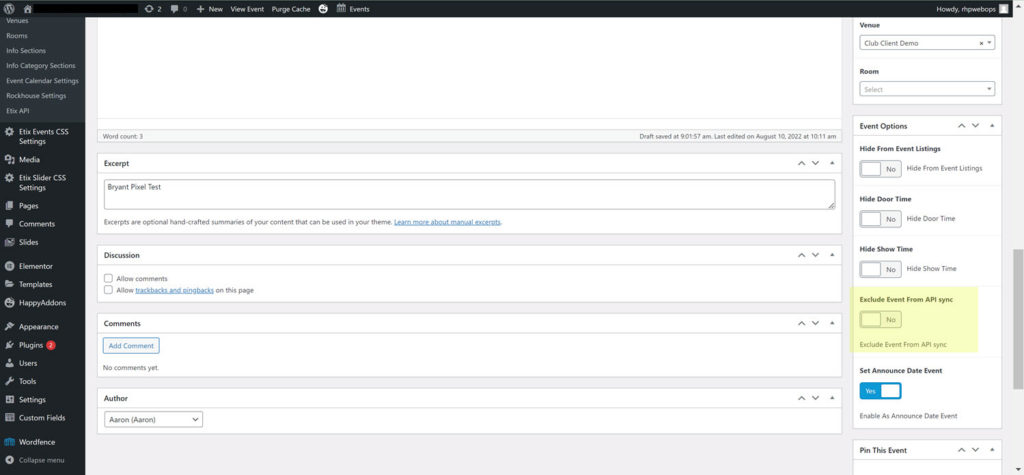
Events > Click Toggle Exclude Event From API Sync > Click Update to save changes.
This is the preferred method
The second way is less user friendly and more tedious. Both ways accomplish the same task.
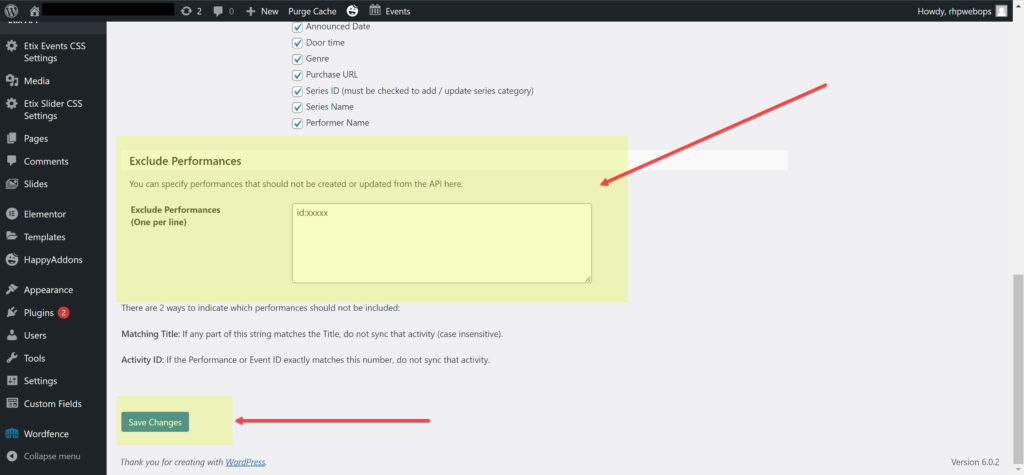
Events > Etix API > Performance Sync > Exclude Performances > type ID:(enter event id here) > Click Save Changes
To exclude multiple events, hit return and place the next event on the following line.
Events can also be excluded by matching the event title. One event per line.
The event ID can be found in the box office event URL: