The slide that is shown will be the same image as the event.
Dashboard > Slides > Add New
Required Fields
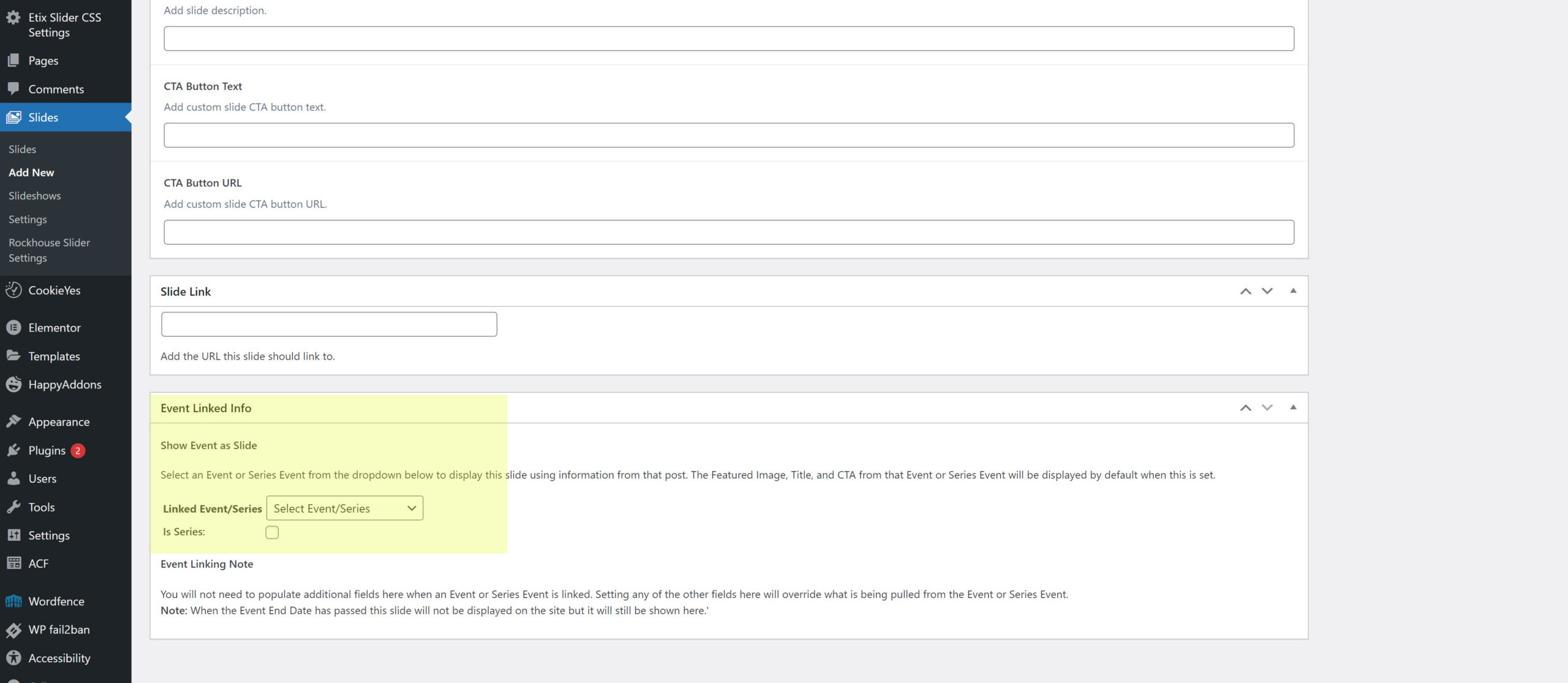
1 – Event Linked Info. Scroll to the bottom of the page and select the event or event series you want the slide to show.
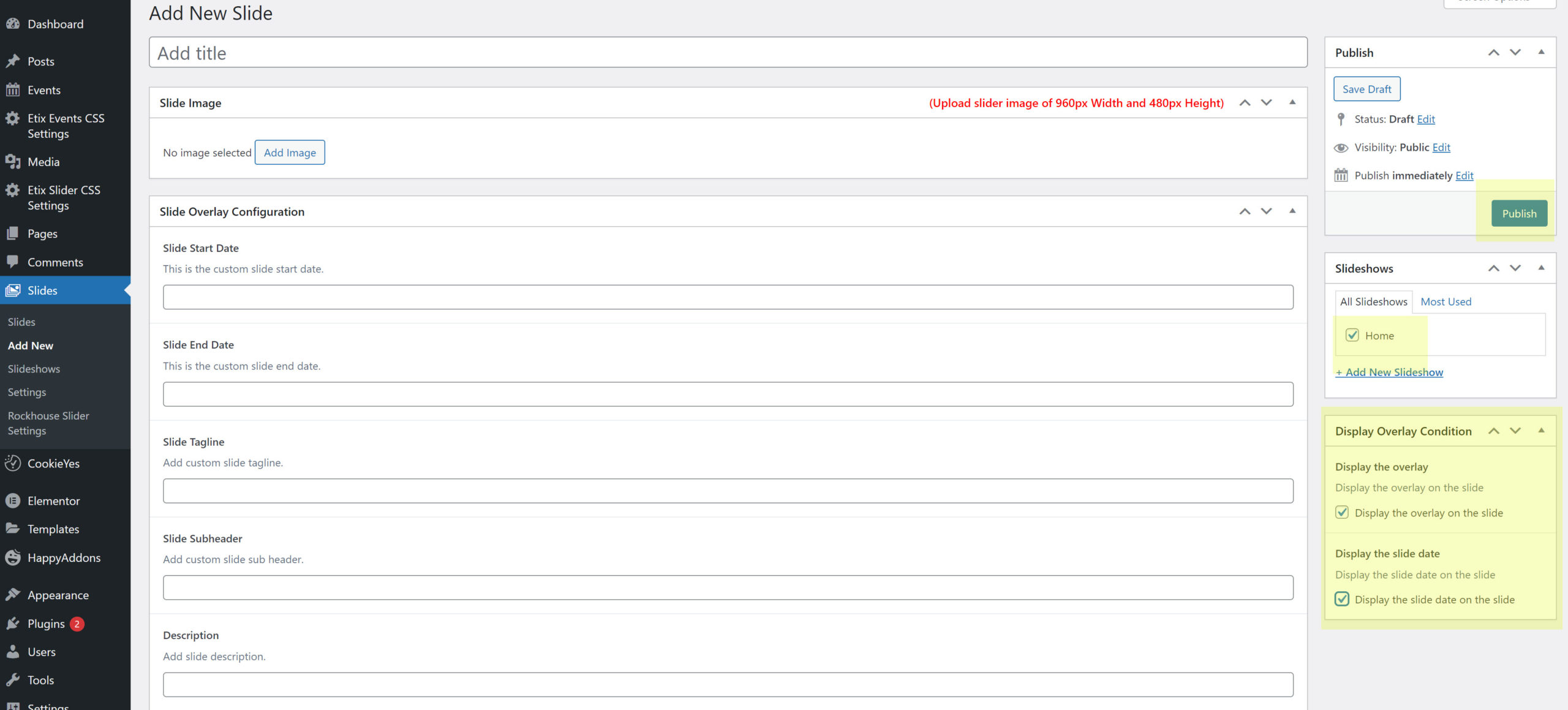
2 – Select which slideshow you want it to appear on. 99% of the time it will be the home page slideshow
3 – Select if you want the overlay to appear on the slide. This will show info such as event title, tagline, description
4 – Select if you want the event date to appear on the slider.
5 – In the upper right hand corner press publish.
Note: if you wish to customize further please read the next article which will be published soon.